
Nothing uploaded
Blur and encode stay in the tab. Private photos never leave this device for this tool — the differentiator vs cloud blurrers.
Free · Browser-local · No upload
Add soft blur in your browser. No face detection — you control where the blur goes.
Need a watermark or circle crop after soft focus? Try image watermark or circle crop. Or browse all Fogkits tools.
No image? Try one of these
Try a sample below, dial blur strength on Original, then export JPG/PNG/WebP. Files stay on this device — nothing is uploaded.
Free browser tool. Whole-image soft focus with live preview. Typical limit 25 MB (12 MB on low-memory devices). Your image never leaves this device.
Files stay on this device. Fogkits does not upload images for this tool — blur, preview, and encode all happen in your browser. No account, no credits, no ads.
Why choose Fogkits
Privacy-friendly soft focus without a cloud hop — same workspace chrome as Image Rotate and Watermark.
Blur and encode stay in the tab. Private photos never leave this device for this tool — the differentiator vs cloud blurrers.
Multi-pass separable box blur that looks soft and even — not a harsh pixelate. Dial 0–40px with live preview.
See soft focus on Original as you drag the slider, then switch to Result to confirm the encoded export.

Default JPG at quality 92. Switch to PNG for transparency or WebP when the page wants a modern mime type.

Blur up to 20 images with one recipe, download selected, or Download all as a ZIP when zipArchive is available.

Soft-focus a proof first, then open Image Watermark — or Crop / Circle Crop for composition.
Proof
Cloud blurrers ask you to upload first. Fogkits keeps the file on this device, lets you dial strength with live preview, and hands you JPG/PNG/WebP you can attach anywhere. The still below is illustrative — drop your own image above for a live run.
Live slider
0–40px soft focus with instant Original preview.
Gaussian-style
Smooth multi-pass blur — not a harsh mosaic.
JPG default
Quality 92 — widely compatible export.
Batch ZIP
Up to 20 images when zipArchive is in the build.
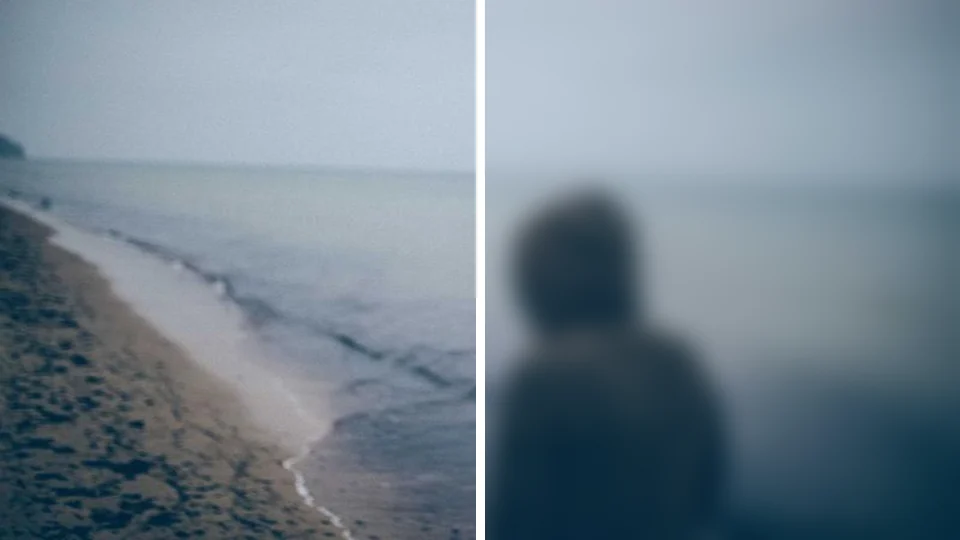
Illustrative still. Drop a real photo above to blur in your browser.
Use cases
Three everyday jobs where a quick whole-image blur unblocks the next step.

Privacy previews
Blur a client proof or personal album preview so details stay private — no cloud editor, nothing uploaded.

Backgrounds & UI
Dial a gentle blur for hero backdrops, glassmorphism cards, or slide decks — export WebP or JPG.

Social & listings
Batch-blur a product or travel dump for “coming soon” posts, download a ZIP, then watermark if needed.
How to use
No account, no queue, no cloud job. Drop files, dial strength, download when Result looks right.
01
Drop JPG, PNG, WebP, or HEIC files onto the blurrer. Nothing is uploaded — soft-focus blur runs in your browser.
02
Use the 0–40px radius slider with live soft-focus preview on Original, or tap Off / 8 / 16 / 28 presets.
03
Choose JPG (default), PNG, or WebP, set quality for JPG/WebP (default 92), Blur, then download the Result — or batch up to 20 with ZIP when available.
Drop a photo above, dial soft focus, pick JPG/PNG/WebP, and download when the preview looks right.
Yes. Fogkits applies a smooth Gaussian-style blur in your browser and encodes the result locally. The file never leaves this device for this tool.
Yes. Browser-local blur is free — no account and no credits. Export JPG, PNG, or WebP when the Result preview looks right.
Whole-image soft focus approximated with a multi-pass separable box blur (Gaussian-like). There is no AI face detection in this MVP — the entire frame is blurred evenly.
JPG is widely compatible for email, forms, and social uploads. Switch to PNG for transparency or WebP for a modern web format anytime.
Yes. Add up to 20 images, apply the same blur strength and output settings, Blur all, then download selected or Download all as a ZIP when zipArchive is present in the Fogkits build.
Blurred exports often compress differently than the source. JPG/WebP use a quality slider (default 92). PNG is lossless in the browser.
About 25 MB on typical desktops, or 12 MB on devices that report 4 GB of memory or less. Soft timeout is 60 seconds per image.
Use Fogkits image crop, circle crop, or watermark after blur — or the converter / compressor when format or file size is the next step.
Rotate and flip images in your browser. Free 90° rotate, mirror flip, and straighten — no upload required.
Open toolCrop an image online free in your browser — no upload. Freeform or presets (1:1, 4:3, 16:9, 9:16). Live preview, then download JPG/PNG/WebP.
Open toolCompress JPG, PNG and WebP images in your browser. Shrink file size for email or web without uploading photos to a server.
Open tool