Nothing uploaded
Round and encode stay in the tab. Private product shots never leave this device for this tool.
Free · Browser-local · No upload
Soft-round any photo into a PNG with transparent corners. Free rounded-corners tool in your browser — no upload.
Need a true circle avatar? Try the Circle Crop. Or browse all Fogkits tools.
No image? Try one of these
Try a sample below, round or flip on Original, then export JPG/PNG/WebP. Files stay on this device — nothing is uploaded.
Free browser tool. Soft rounded corners with live preview. Typical limit 25 MB (12 MB on low-memory devices). Your image never leaves this device.
Files stay on this device. Fogkits does not upload images for this tool — radius, preview, and encode all happen in your browser. No account, no credits, no ads.
Why choose Fogkits
Soft UI cards without a cloud hop — same CreateVision chrome as Crop and Circle Crop.
Round and encode stay in the tab. Private product shots never leave this device for this tool.
Percent of the shorter side (default 12%) — same soft look across a batch of different sizes, with live px readout.
See soft corners on Original, then switch to Result to confirm the export before you download.

Real transparent corners for cards and icons. Optional JPG/WebP with white, black, or custom fill.
Round up to 20 images with one recipe, download selected, or Download all as a ZIP when zipArchive is available.

Straighten with Rotate, refine with Image Crop, or switch to Circle Crop for a true avatar circle.
Proof
Cloud rounders ask you to upload first. Fogkits keeps the file on this device, lets you dial a scale-smart radius with live preview, and hands you a transparent PNG for cards and icons. The still below is illustrative — drop your own image above for a live run.
Percent radius
0–50% of the shorter side — batch-friendly.
Transparent PNG
Real alpha corners for soft cards.
Tall stage
Same CreateVision chrome as Crop — no zoom slider.
Batch ZIP
Up to 20 images when zipArchive is in the build.
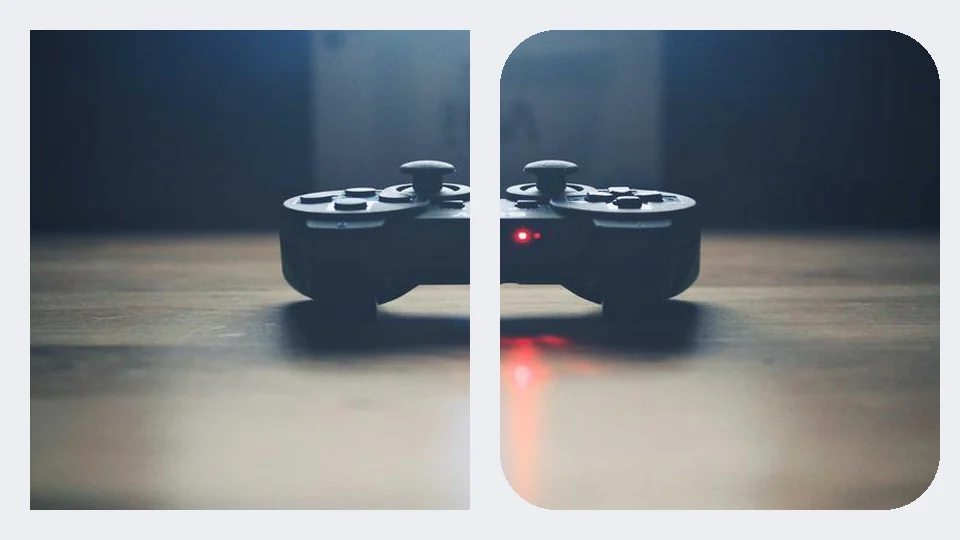
Illustrative still. Drop a real image above to round corners in your browser.
Use cases
Three everyday jobs where a rounded rect unblocks the next step.
UI & marketing
Round screenshot cards and hero tiles locally — transparent PNG drops straight into decks and landing pages.
App icons
Apply a consistent corner radius to icon masters, batch-export PNG, then hand off to Circle Crop only when you need a true circle.
Product listings
Batch-round a product dump so every SKU shares the same soft corners, download a ZIP, then crop or resize as needed.
How to use
No account, no queue, no cloud job. Drop files, dial the radius, download when Result looks right.
01
Drop JPG, PNG, WebP, or HEIC files onto the rounder. Nothing is uploaded — rounding runs in your browser.
02
Drag the corner-radius slider (percent of the shorter side, default 12%). Live preview fills the stage like Image Crop — no separate zoom control.
03
Default transparent PNG for soft UI cards and icons. Switch to JPG/WebP with a background fill when you need a solid canvas. Batch up to 20 with ZIP when available.
Drop a card or icon above, dial the radius, export transparent PNG, and download when the preview looks right.
Yes. Fogkits clips a rounded rectangle and encodes the result in your browser. The file never leaves this device for this tool.
Yes. Browser-local round corners is free — no account and no credits. Export PNG, JPG, or WebP when the Result preview looks right.
Radius is a percent of the shorter side of the image (0–50%, default 12%). That keeps the same soft look across a batch of different sizes. The live UI also shows the equivalent pixels for the selected image.
PNG (default) keeps real transparent pixels outside the rounded rect. JPG fills corners with white, black, or a custom color. WebP can stay transparent or use a fill.
Yes. Add up to 20 images, set radius/format/background once, Round all, then download selected or Download all as a ZIP when zipArchive is present in the Fogkits build.
About 25 MB on typical desktops, or 12 MB on devices that report 4 GB of memory or less. Soft timeout is 60 seconds per image.
Use Fogkits Circle Crop for a true circular pfp. Use Image Crop for rectangles, or Round Corners to straighten first.
Yes. HEIC/HEIF is decoded in the browser with heic2any, then rounded like any other still image.
Circle crop a photo into a round avatar PNG in your browser. Free, no upload — transparent edges by default.
Open toolCrop an image online free in your browser — no upload. Freeform or presets (1:1, 4:3, 16:9, 9:16). Live preview, then download JPG/PNG/WebP.
Open toolRotate and flip images in your browser. Free 90° rotate, mirror flip, and straighten — no upload required.
Open tool